Issue
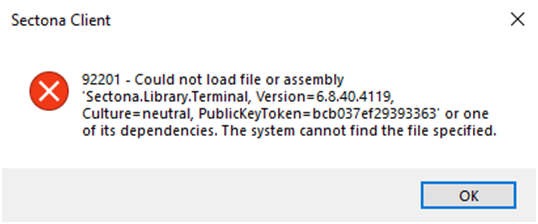
Users may encounter an error while accessing a target server from the Sectona PAM Portal. The error indicates that the “Sectona.Library.Terminal” assembly cannot be loaded because the required file cannot be found.
Error: "92201 Could not load file or assembly ‘Sectona.Library.Terminal’, The system cannot find the file specified"
Cause
This error occurs when any file in the “Sectona.Client.Vault” folder is missing or unavailable, preventing the launcher from loading or starting the session.
Resolution
Method 1: Through PAM Portal
-
Log in to the Sectona PAM Portal and follow these steps:
-
On the right side, click the User Profile.
-
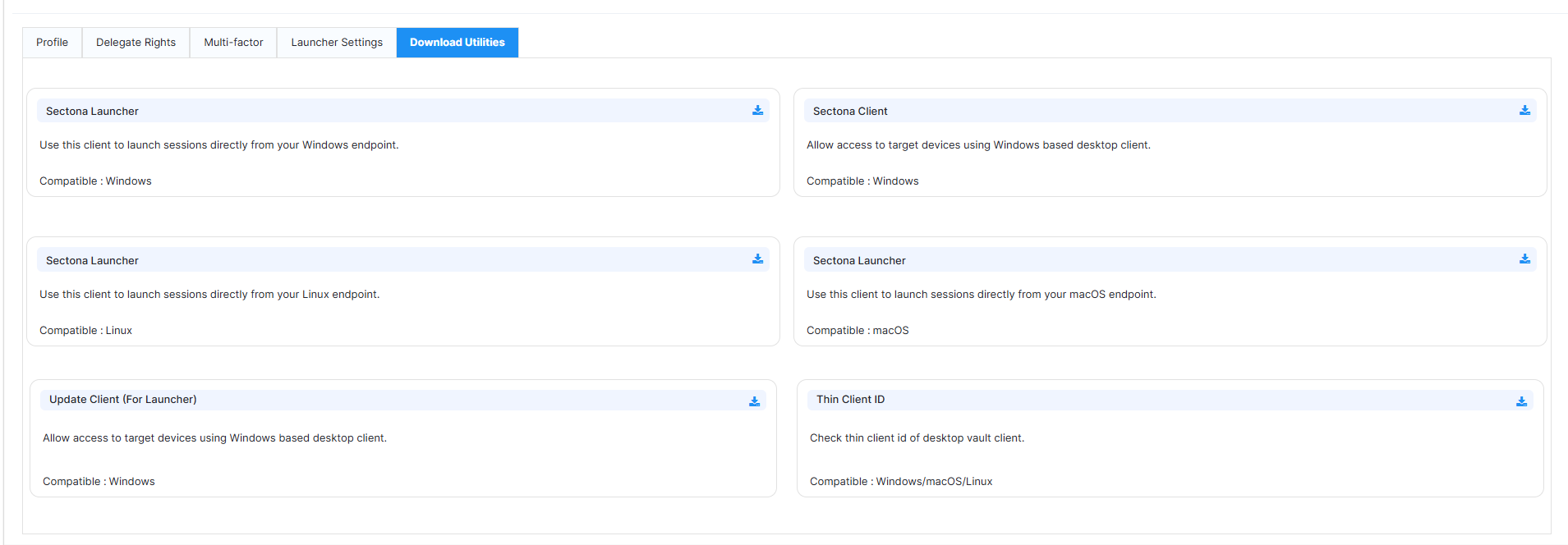
Go to Profile Settings > Download Utilities.
-
Click Sectona Client (For Sectona Launcher).
-
The Sectona Launcher automatically updates the required files.
Method 2: If the issue persists
-
Press Windows + R to open the Run dialog.
-
Enter %temp% and press Enter.
-
Open the Sectona folder.
-
Delete the “Sectona.Client.Vault” folder.
-
Log in to the Sectona PAM Portal.
-
Go to Profile Settings -> Download Utilities → Sectona Client.
-
Download and unzip the “Sectona.Client.Vault” folder, then paste it into the Sectona folder.