
The UMON agent is used to share current activity logs of Unix Sessions depending on the Server Access Policy configured at the target server. Installation of an external component is required if the target server has a Unix Operating System.
UMON (Unix Monitoring Agent) is used to restrict direct SSH connections by various clients like Putty, WinSCP to a Unix based server.
Install UMON
Run the installer with PAM URL and Service Port (Max Length - 5) parameters from available ports for the UMON Agent running locally on target machine, For example: -
|
sudo /home/admin/SectonaUMONinstaller/Sectona.Vault.UMON.Setup https://PAMURL:PORT |
|---|
Setup is ready, UMON agent is now working on Unix server, we can verify that by restricting access in PAM. Below steps are given.
UMON file System
-
ssh_login_notify.sh: Read-Only file for UMon agent login notification.

-
Sectona.Vault.UMon.log: Log file for UMon.

-
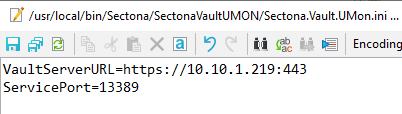
Sectona.Vault.UMon.ini: Configuration file for UMon which contains PAM URL and UMon local service port uses by ssh_login_notify.sh. This is an editable file that can be used to change the details for the PAM URL and the port value.
-
Sectona.Vault.UMon: UMon Agent.
Configuration UMON in PAM
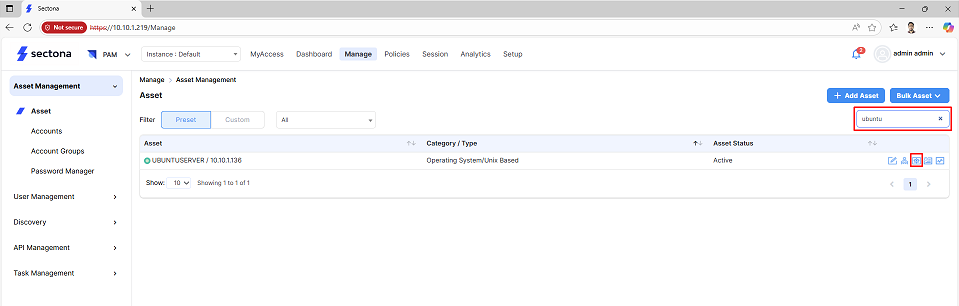
Login to PAM, click on Manage
-
Search for Unix server, and click on Action button
-
Check the Restrict Checkbox and click on Save.
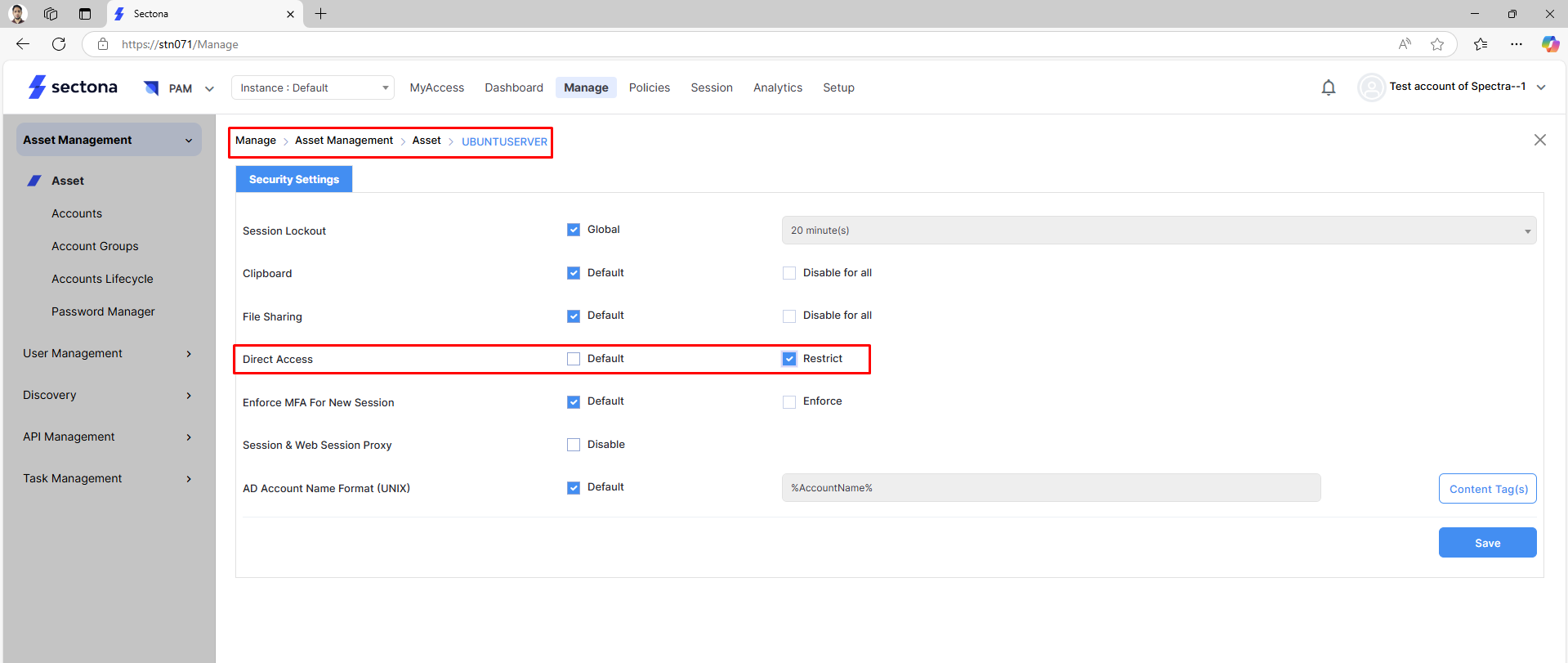
Now if any SSH client try to take a direct SSH session and put correct credentials UMON will check with PAM and if direct access is restricted an error message will be displayed.
Uninstall UMON Setup

Unix commands
Relabel file to an executable type for OS versions with SELinux
$ sudo chcon -t bin_t /usr/local/bin/Sectona/Sectona.Vault.UMon
$ sudo chcon -t bin_t /usr/local/bin/Sectona/SectonaVaultUMON/ssh_login_notify.sh
Uninstall commands
$ sudo ./Sectona.Vault.UMon.Setup uninstall