
Download Sectona Launcher for Linux
-
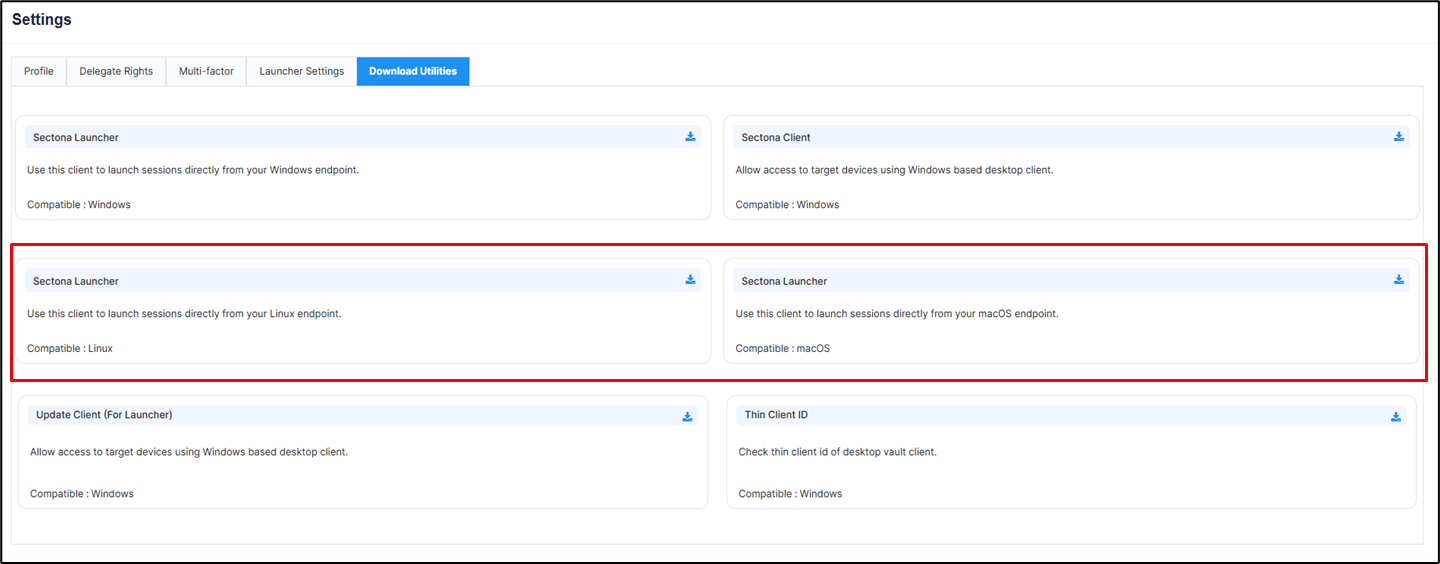
The Download Utilities tab include the Sectona Launcher for Linux operating systems.
-
Navigate to PAM → Settings → Download Utilities.
-
Click Download to download the launcher package.
Install Sectona Launcher on Linux
Sectona Launcher sessions for Linux are supported only via the Jump Server.
Prerequisite Installation
-
Libfuse2: Running xfreerdp.AppImage on Linux requires libfuse2. This executable mounts itself as a temporary filesystem using FUSE (Filesystem in Userspace) upon launch.
-
To install this file (Ubuntu):
sudo apt update
sudo apt install libfuse2
Launcher Installation
-
Download Sectona.Launcher.Linux.Setup on your Linux machine.
-
Grant execute permission to the setup file:
cd <Setup Directory Path>
chmod +x Sectona.Launcher.Linux.Setup
-
Install launcher:
sudo./Sectona.Launcher.Linux.Setup
-
Verify installed components:
-
Sectona.Launcher.Linux:
-
sectona-launcher.desktop:
-
/usr/local/bin/Sectona.Launcher.Linux
/usr/share/applications/sectona-launcher.desktop