Issue
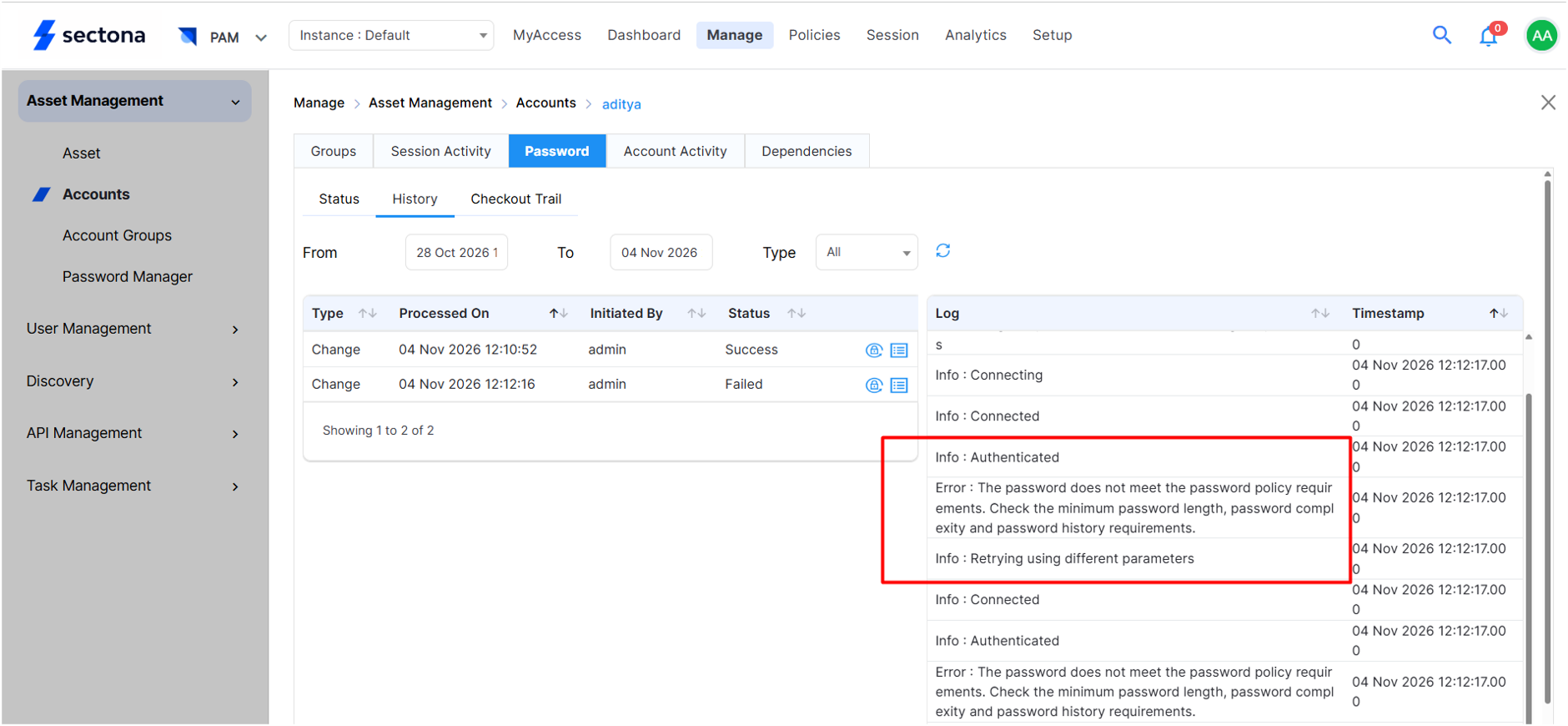
This occurs when the PAM-generated password fails to meet the target server's password policy.
Resolution
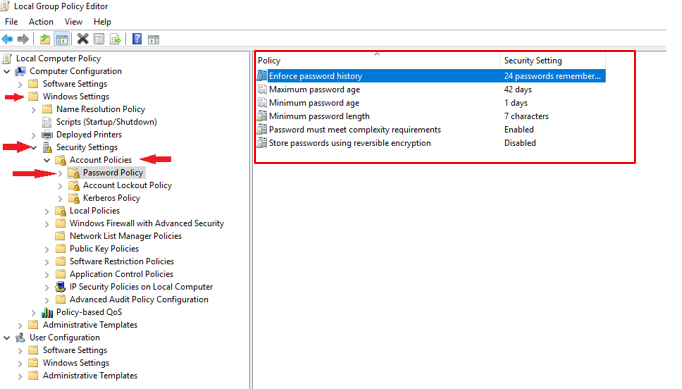
Verify the password policy configured on the target device using the Group Policy Editor. Follow these steps to locate the password policy:
-
Open the Group Policy Editor by running “gpedit.msc”.
-
Under Local Computer Policy, navigate to Computer Configuration
Password complexity is managed through Active Directory, the policy must be modified on the Active Directory server to test password rotation.
-
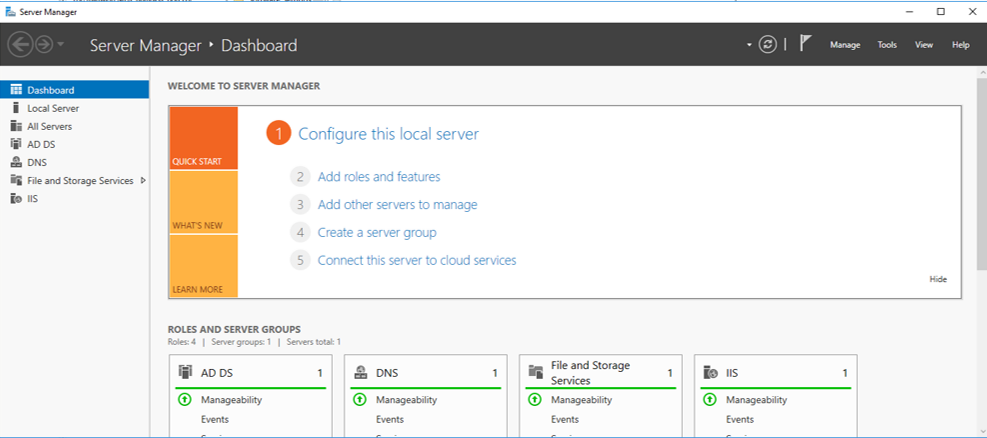
Log in to the Active Directory server and open Server Manager.
-
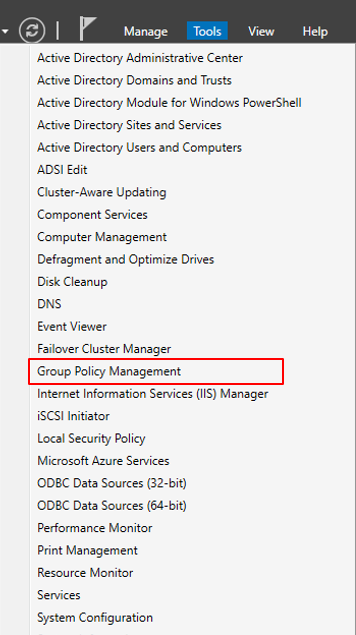
Click Tools on the Server Manager dashboard to access the Active Directory management tools.
-
In the Tools menu, click Group Policy Management.
-
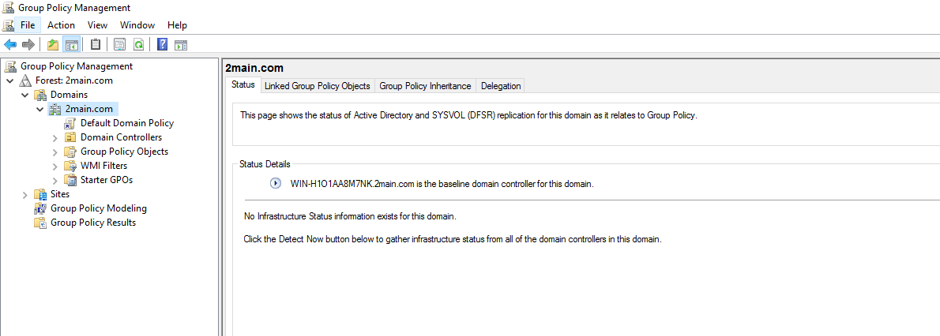
In Forest, expand Domains and locate your domain name.
-
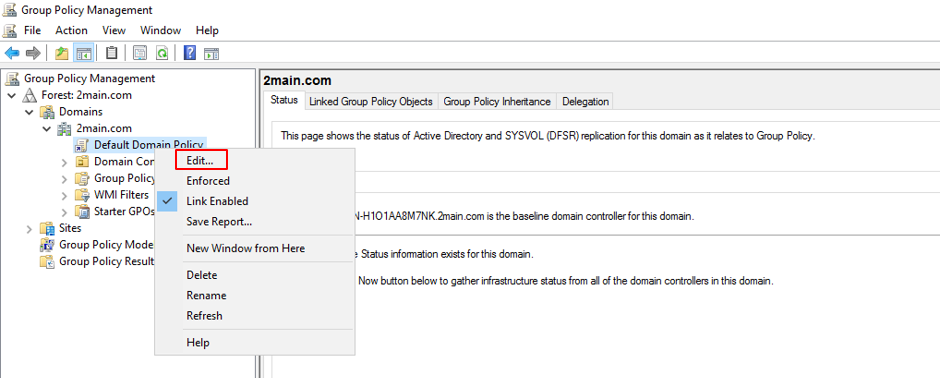
Right-click Default Domain Policy and select Edit to open the policy settings.
-
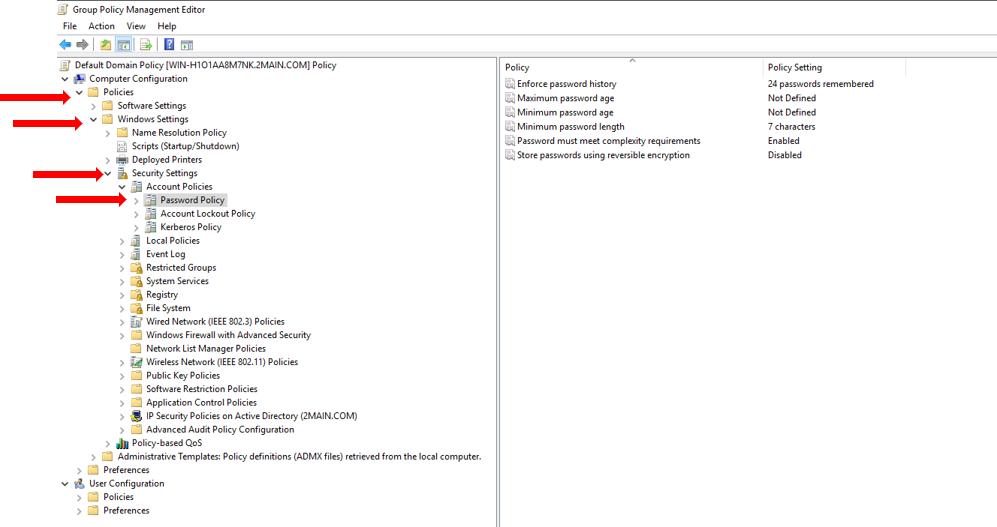
In the Group Policy Management Editor, expand Computer Configuration and go to the password policy settings.