
Issue
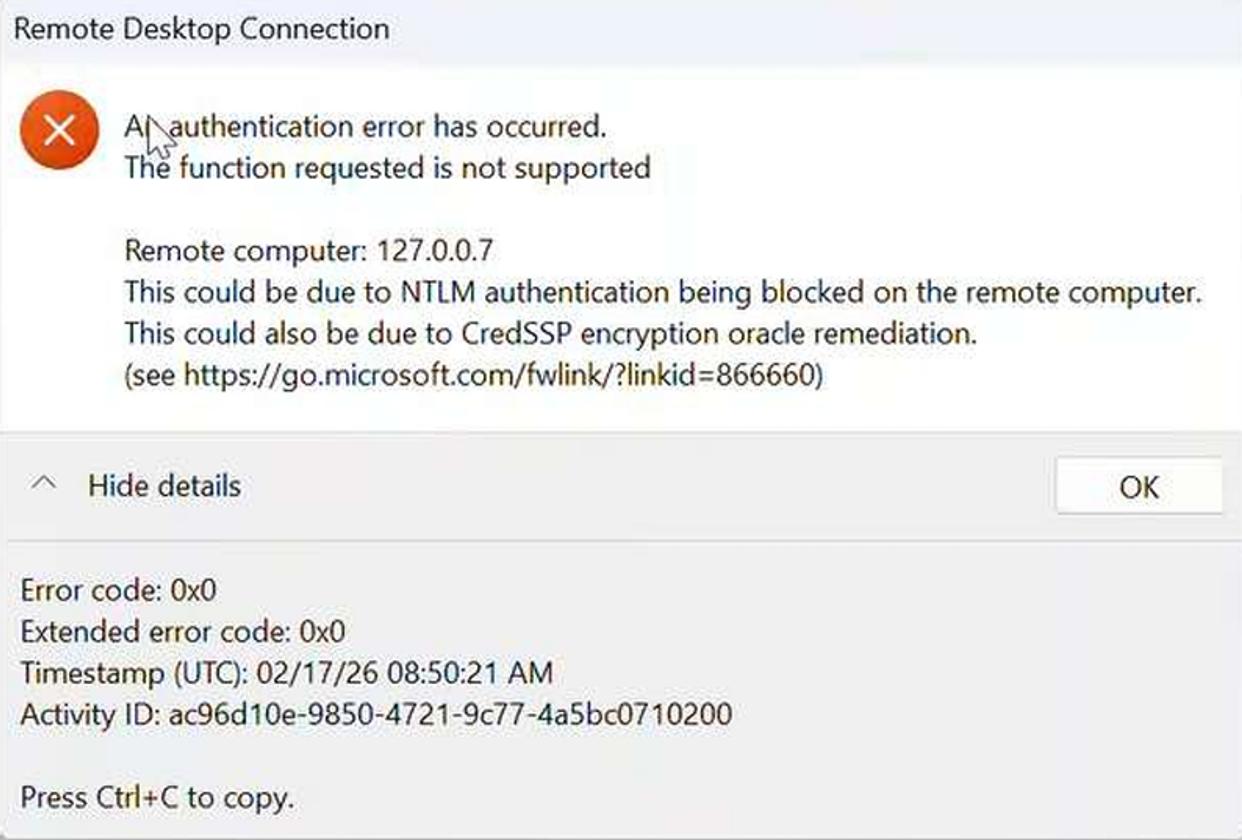
You may encounter a CredSSP Encryption Oracle Remediation error while accessing a Windows server through the RDP Launcher Base Access.
Error: "This Could be due to NTLM authentication being blocked on the remote computer. This could also be due to CredSSP encryption oracle remediation”
Cause
This issue may occur due to any of the following reasons:
-
NTLM authentication version mismatch between the PAM server and the target Windows server.
-
Updated RDP clients are unable to communicate with target servers that do not have the required security updates.
-
The Encryption Oracle Remediation Group Policy setting is configured incompatibly between the client and target server.
Resolution
Method 1: Configure the Encryption Oracle Remediation Policy
-
On the client machine where the CredSSP update is installed, open the Local Group Policy Editor by running “gpedit.msc”.
-
Navigate to Computer Configuration → Administrative Templates → System → Credentials Delegation.
-
Locate and open Encryption Oracle Remediation and select Enabled.
-
Under Protection Level, select Vulnerable, click Apply, then OK.
Method 2: Configure CredSSP Settings Through the Registry
If the above policy is already configured and the issue persists, or if the Local Group Policy Editor (“gpedit.msc”) is unavailable, apply the same configuration through the Windows Registry.
-
Open Command Prompt as Administrator.
-
Run the following command to add or update the registry value:
REG ADD "HKLM\Software\Microsoft\Windows\CurrentVersion\Policies\System\CredSSP\Parameters" /v AllowEncryptionOracle /t REG_DWORD /d 2 /f -
Change the “REG_DWORD” registry value to “2”.